
Building good digital habits starts with you. This section focuses on protecting your personal information, making safe choices online, and developing the skills to navigate technology with confidence.
Looking for more? You’ll find practical resources throughout the Cyber Awareness Month website, including creating positive online interactions, supporting healthy technology use, and understanding how to use AI responsibly.
We live in a digital world, and staying safe online is an important life skill.
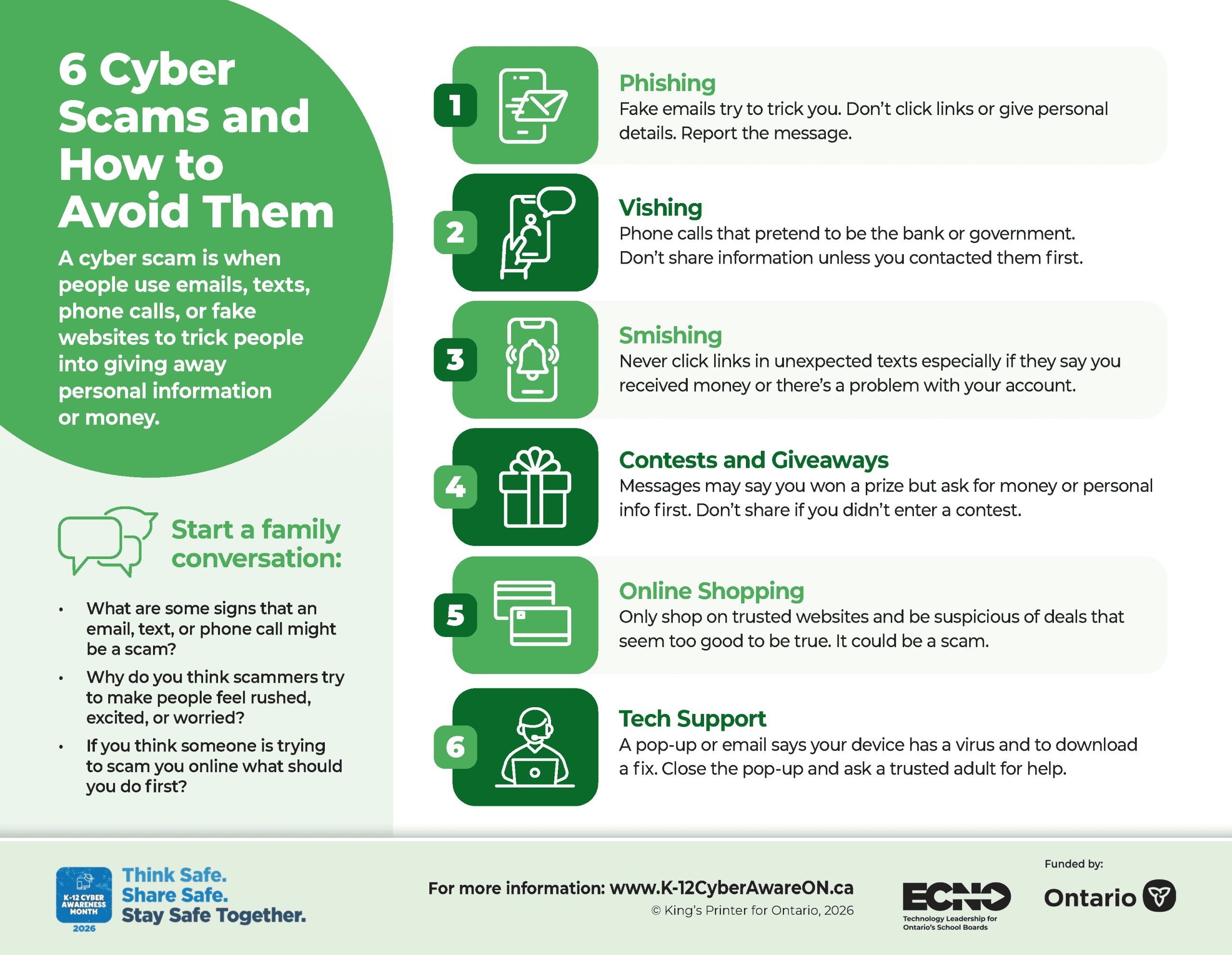
Online scams and cyber threats are becoming more common. Criminals try to trick people through fake emails, text messages, websites, or social media messages. They look for easy ways to steal personal information, passwords, or access to online accounts.
Every action you take online creates a digital footprint. A digital footprint is the trail of information you leave behind when you use the internet. It can include websites visited,searches you make, posts that are shared, photos you upload, and online purchases.
Learning how to recognize risks and make safe choices online helps build confidence, good judgment, and habits that last a lifetime.
Explore the Resources
The videos, infographics, and links on this page will help you learn about:
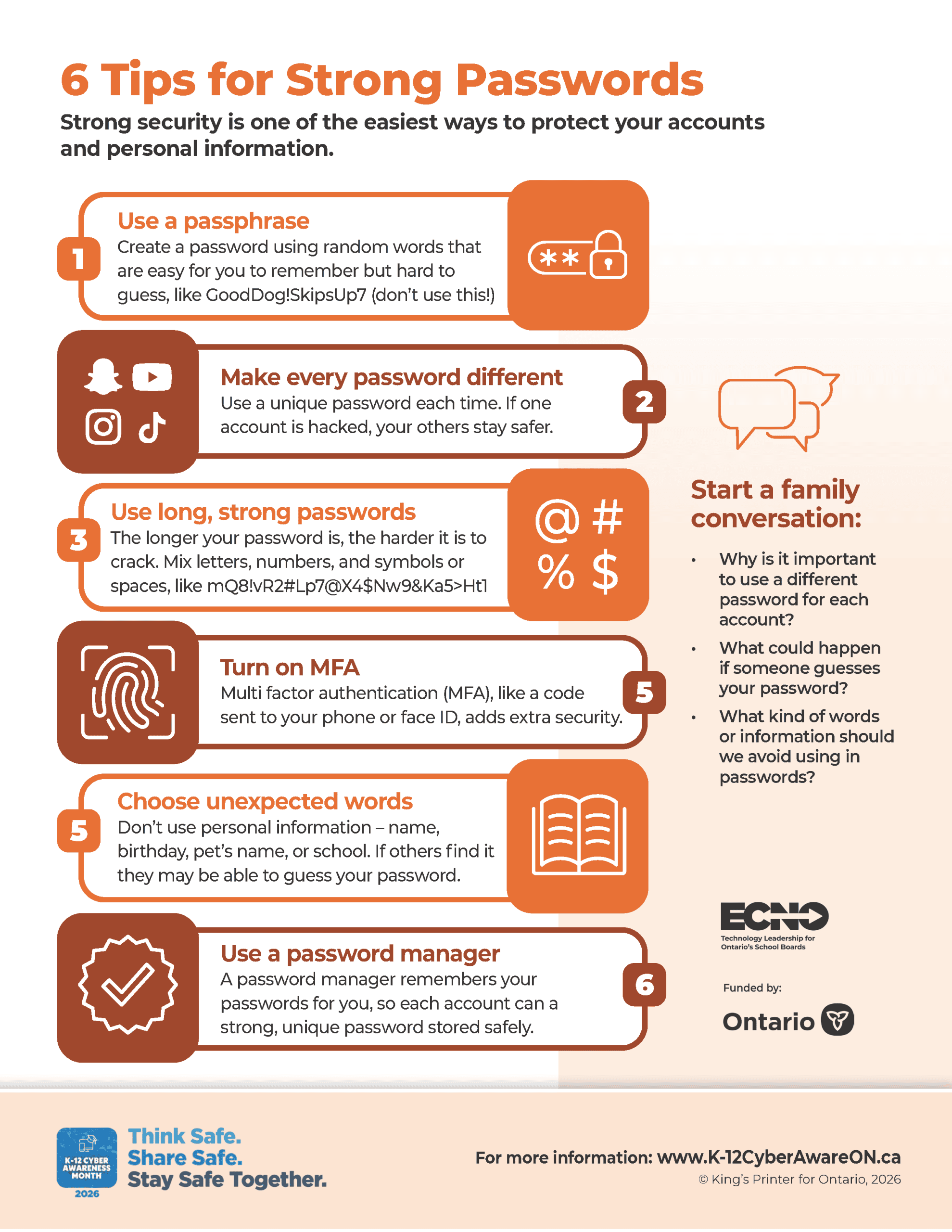
- Passwords and account security
- Multi-factor authentication
- Phishing, scams, and fraud
- Personal information and privacy
- Safe browsing and downloads
- Recognizing online threats
Helpful Videos
Helpful Infographics
Click the buttons below to expand and download.
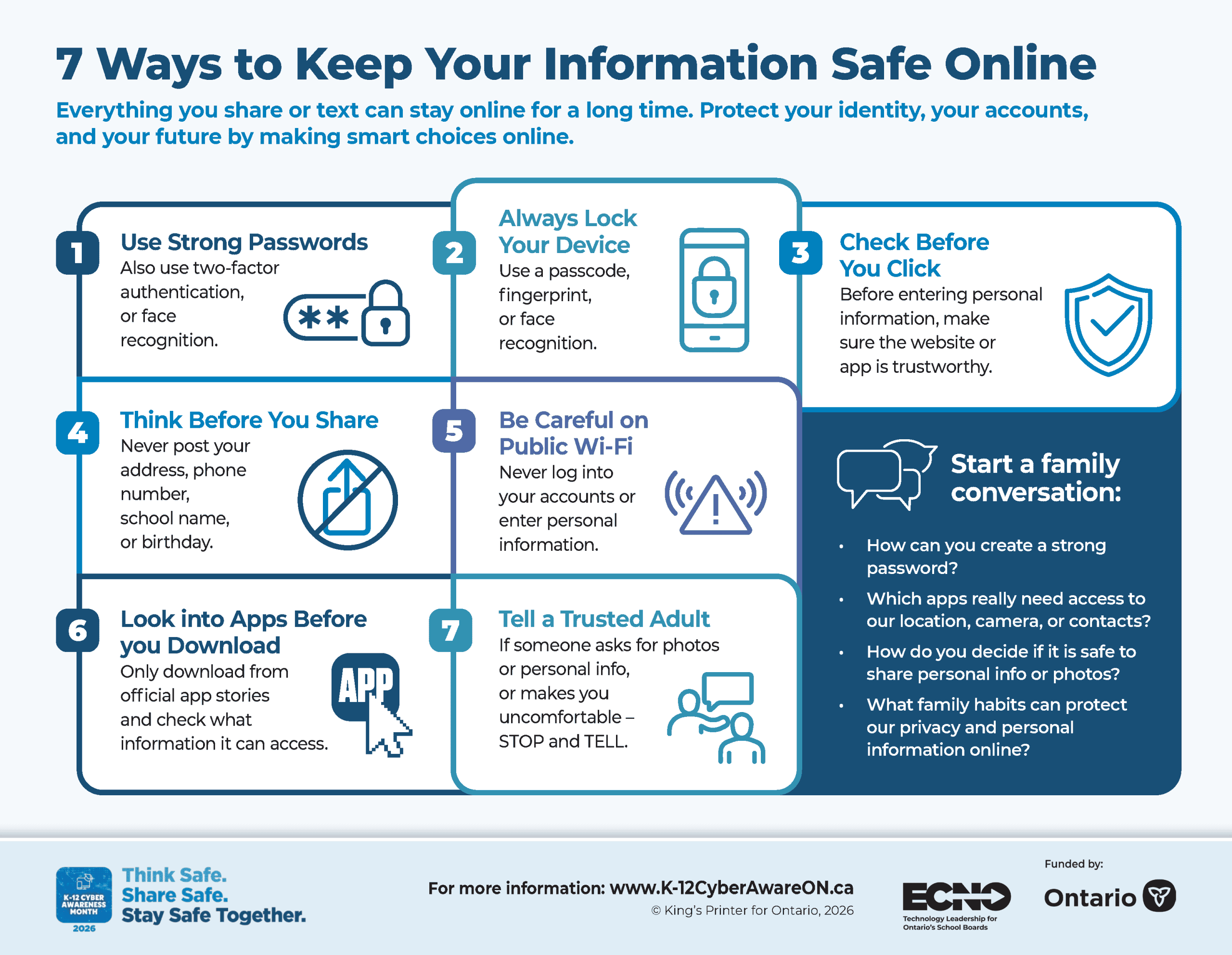
Common Online Risks
- Using the same password for multiple accounts
- Sharing too much personal information online
- Clicking suspicious links or opening unexpected attachments
- Downloading files or apps from untrusted sources
- Scams that seem to be from trusted people or organizations
- Weak privacy settings that expose personal information
- Hacked accounts, identity theft, and fraud
Take Steps to Keep Information Safe
Protect Your Accounts and Personal Information
Your passwords, devices, and personal information all need protection.
The information you share online can reveal more about you than you realize
Cyber criminals can use personal details in your posts or your photos to steal identities, access accounts, commit fraud, or target people with scams.
Keep Your Devices Secure
Phones, tablets, laptops, and gaming devices should always be updated with the latest security features. Updates help protect your information and reduce the risk of cyber attacks.
Strong passwords, secure devices, and careful online choices can help keep your information safe.
Conversation Starters for Families
- How do you decide if a message, email, or website can be trusted?
- Which trusted adult would you talk to if something online didn’t seem right?
- What information should never be shared online?
- Why is it important to protect personal information?
- What would you do if you thought one of your accounts had been hacked?
Learning to stay safe online does not require advanced computer skills. By building a few simple habits, you can reduce risks, protect your information, and help create a safer online experience for everyone.
Helpful Links
- Cybertip.ca Online Harms Resources
- Public Safety Canada – Support Resources for Cyberbullying
- Government of Canada: Report a Cyber Incident
- Find a school board or school authority | ontario.ca
Explore the Other Themes
Create digital spaces where everyone feels safe and included.

Manage challenges like screen time and digital wellbeing.
Learn how to use AI safely and responsibly.